
Add
Snap a photo or pick one from the gallery; it is compressed into a thumbnail automatically. Fill in name, quantity, unit and notes in one pass.
Trace is a native HarmonyOS app built around one loop — item → place / category → batch expiry → reminder. It keeps your home in order: toss what is expired, use what is about to be.
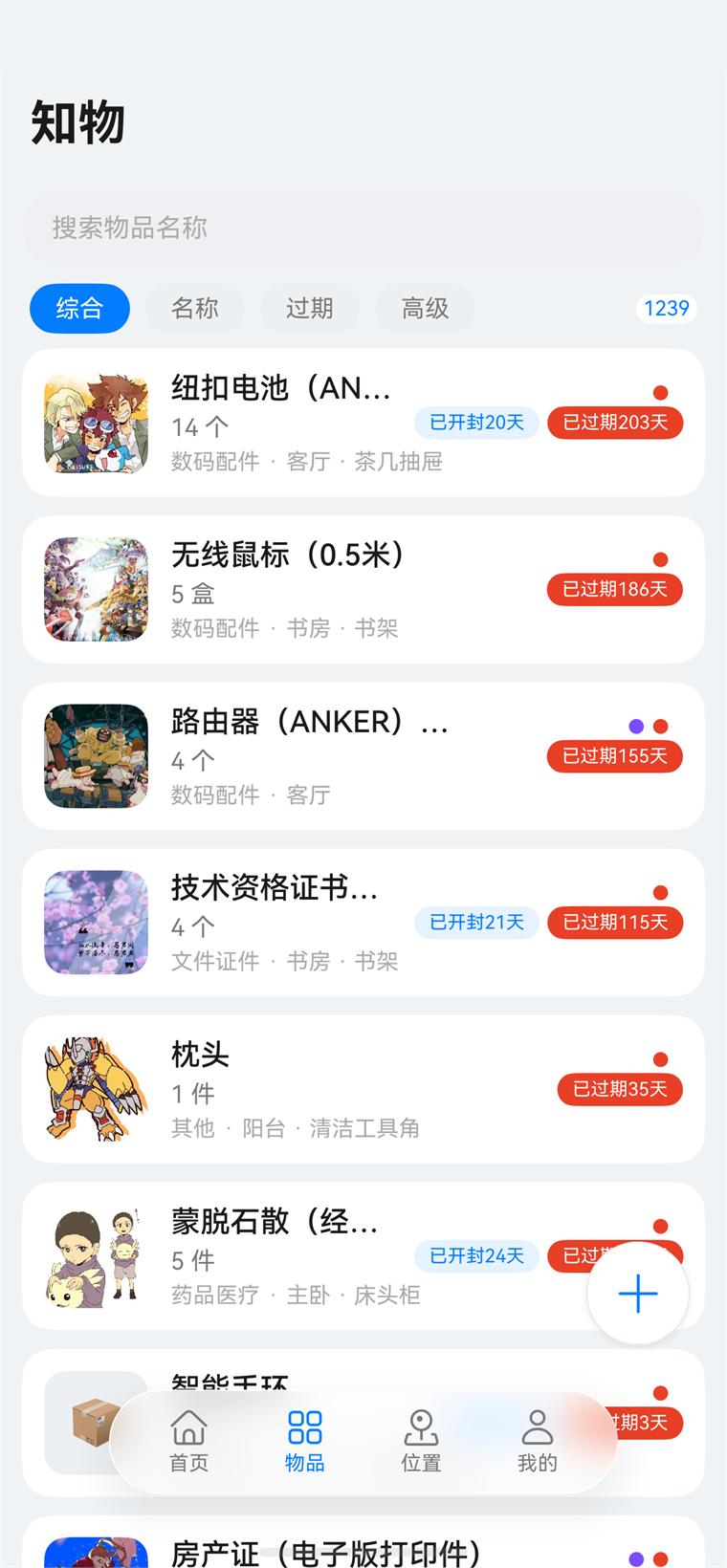
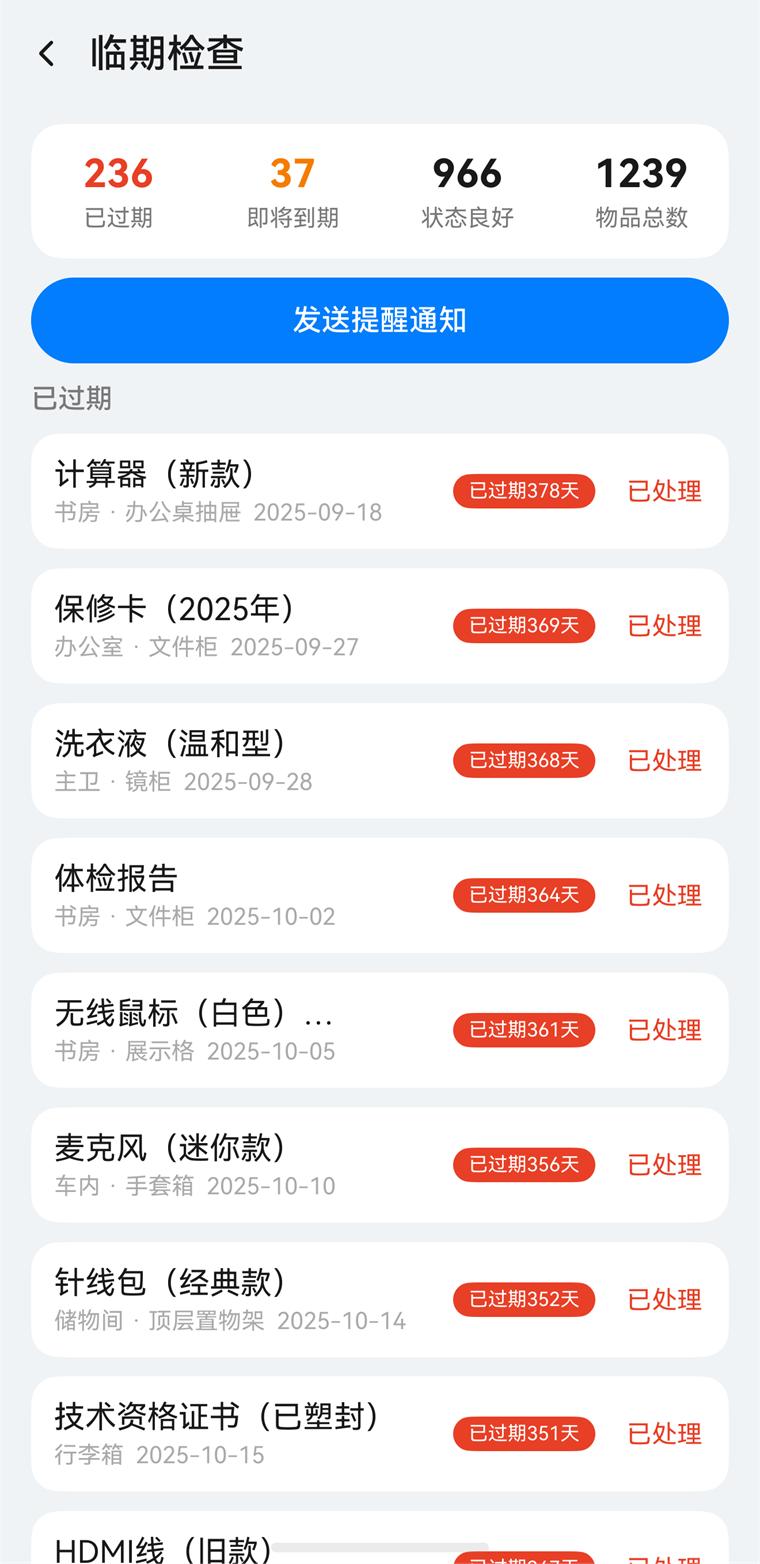 Expiring items at a glance
No new habits to learn: snap a photo, say where it lives and when it expires — Trace takes it from there.
Snap a photo or pick one from the gallery; it is compressed into a thumbnail automatically. Fill in name, quantity, unit and notes in one pass.
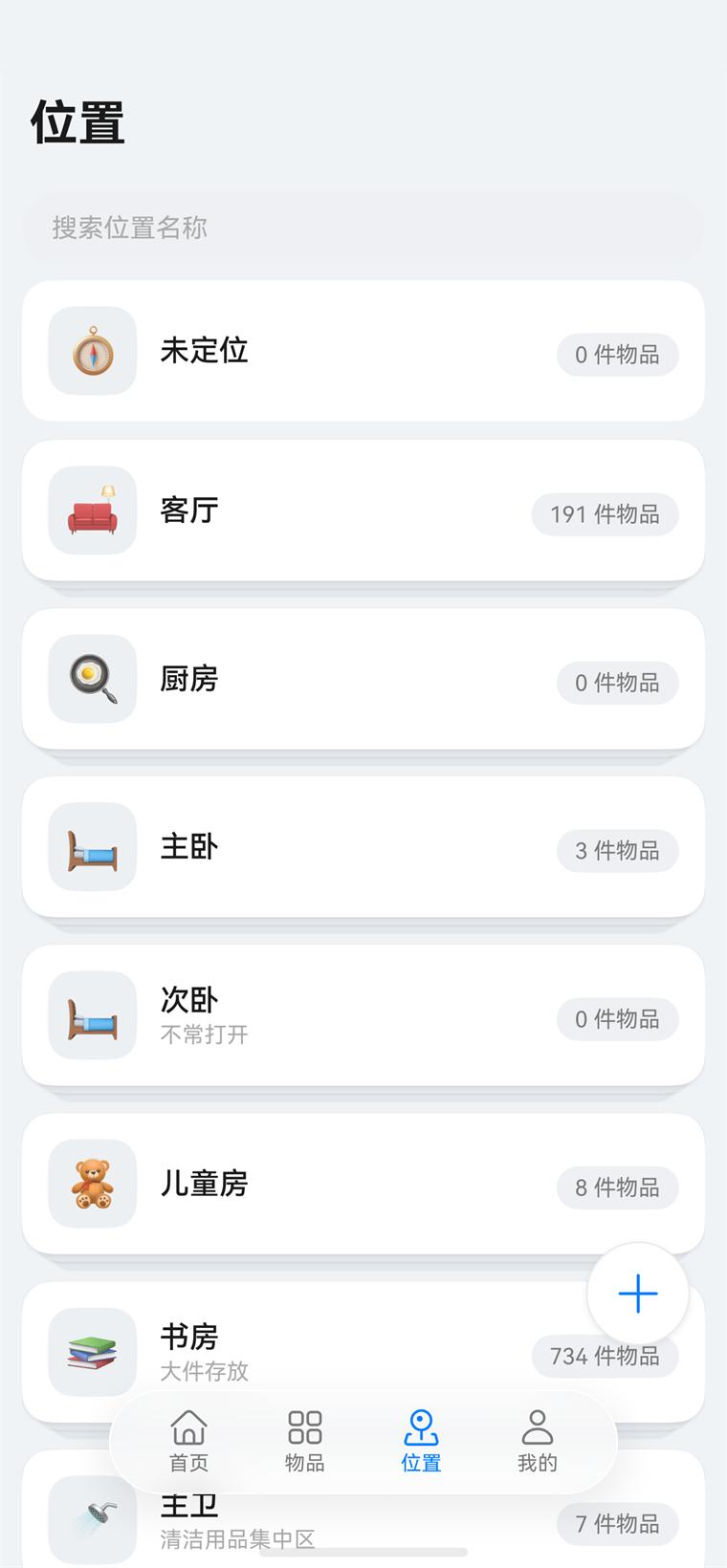
File items under hierarchical places and categories. Place cards collapse, expand and reorder by drag, so finding something is no longer a rummage.
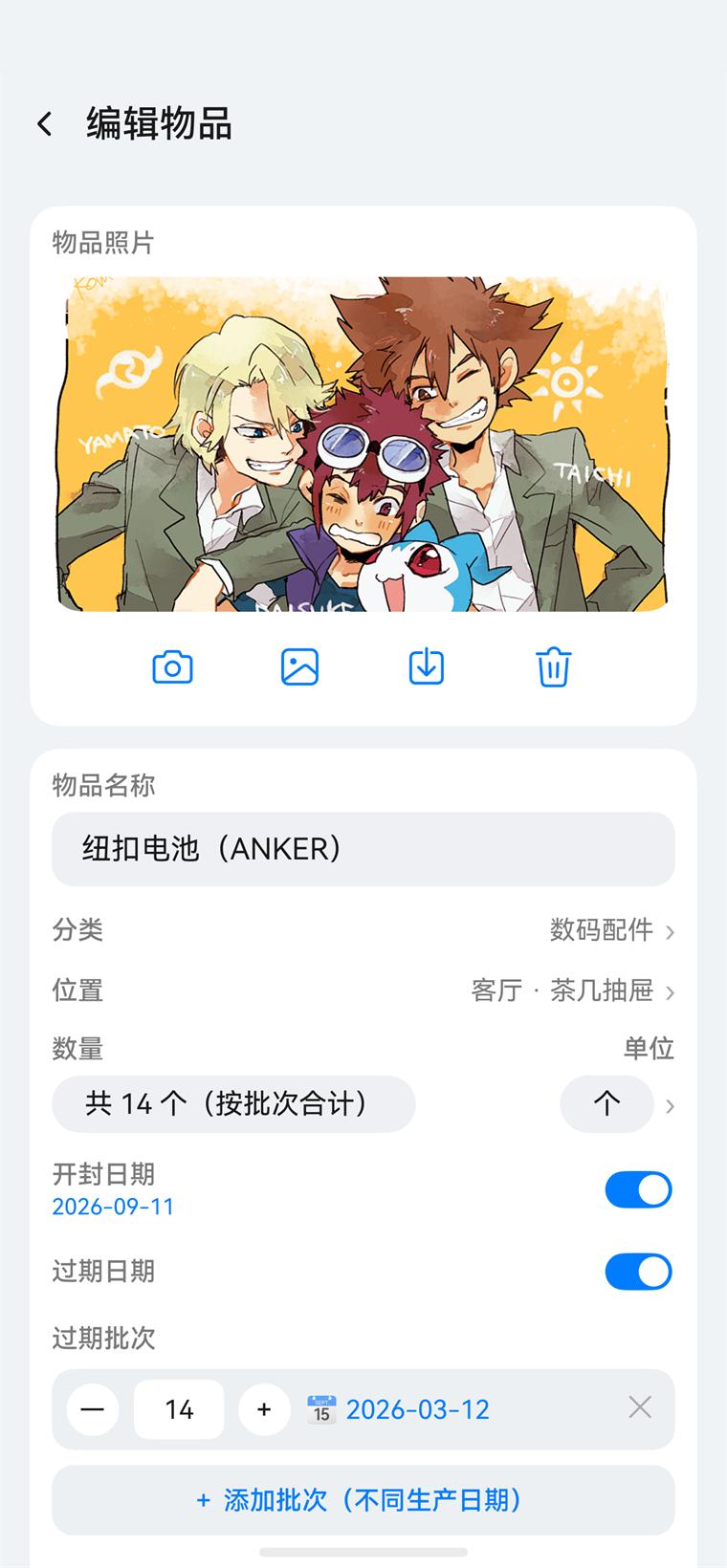
Track quantities and expiry dates batch by batch — two packs of milk each expire on their own schedule.
Items nearing expiry are flagged and pushed as notifications, and can be written to your system calendar so everything is managed in one place.
Switch between All, Name, Expiry and Advanced views at any time. Advanced filters combine category, place, expiry status and favourites. Long-press for multi-select to move, recategorise or delete in bulk; swipe left for quick actions.
Places nest two levels deep — a coffee table drawer inside the living room, a top shelf inside the storeroom. Cards collapse, expand and reorder by drag, and the places page supports long-press multi-select plus search by name.
Bought three boxes of the same medicine on different dates? Give each its own batch with its own quantity and expiry date. Totals add up across batches, and near-expiry is judged batch by batch.
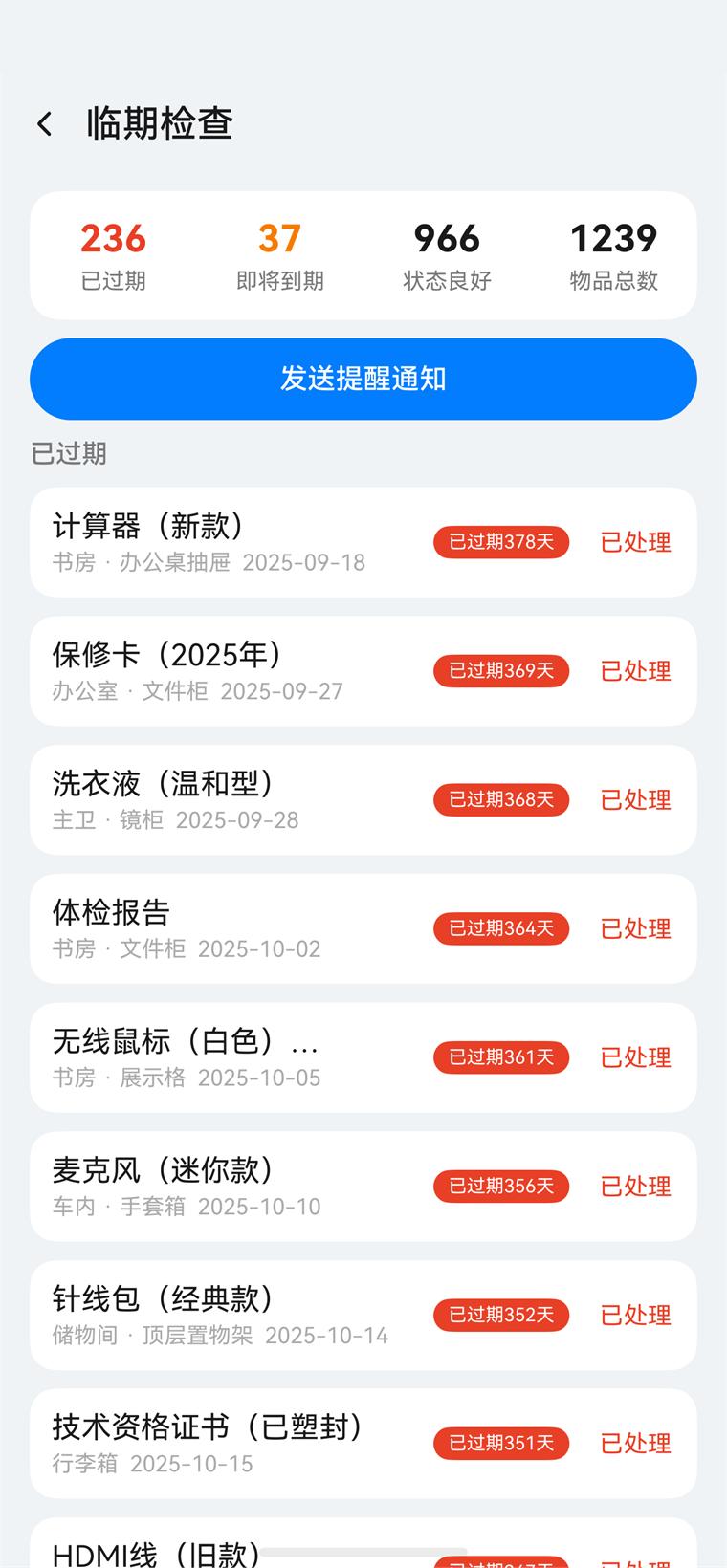
Bring expired and nearly-due items onto one page: totals at a glance, sorted by days remaining, handled item by item or with a single notification — no more digging through hundreds of rows.
Statistics, sharing, backup and grip adaptation — the details you actually run into every day.
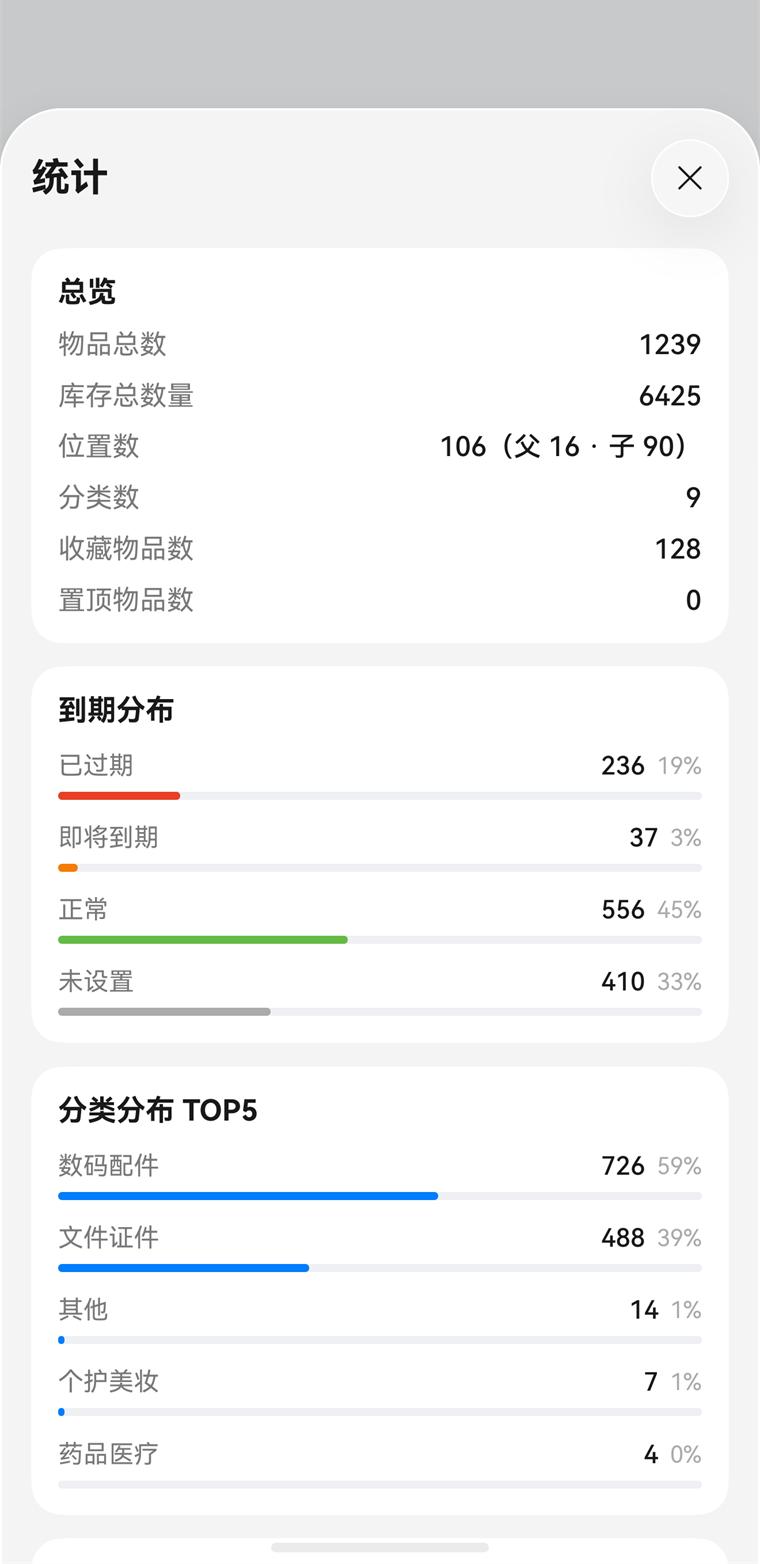
Total items, total stock, and counts by place and category at a glance; expiry distribution plus top-5 rankings by category and place, so you can see what you have piled up.
Send item data to someone else over Share Kit with a tap; the receiver previews and confirms before importing. Quality, item count and package size limits are all configurable.
Full backup export and import, compatible with legacy JSON backups, and integrated with the system backup and restore mechanism.
Detects which hand you are holding the phone in, so the floating button and the bottom capsule dock move to the thumb side; unsupported devices degrade gracefully.
Edge-to-edge status bar, a floating capsule dock for bottom navigation, and full dark mode support.
Data stays on your device by default, with AGC-hosted privacy consent, a standardised privacy dialog and permission management; agreements and policies are always available.
Open the statistics panel from the home page: total items, total stock, counts by place and category, plus expiry distribution and top-5 rankings by category and place. A regular glance tells you what to restock and what to clear out.
Trace is a HarmonyOS app for phones. Here is what you need to install and use it.
A HarmonyOS 5.0+ device (physical or emulator). Published on AppGallery, with in-app update checks.
Camera, calendar and photo permissions are requested only when you first enable calendar reminders, take a photo or pick from the gallery, and can be revoked in settings at any time.
Items, places, categories and photos are stored locally on the device and never uploaded; backup files are yours to keep.
Signing in with a Huawei Account is optional and only used to submit feedback; every local feature works without it.
Note: the screenshots on this page are real captures from the app; item names and photos are demo content. The app contains no personalised recommendations, ads or third-party commercial SDKs.
Ten minutes to add the dozen things you use most — Trace takes it from there. Existing data can be migrated in one backup.